Free tool · MetaTrader 5

Risk exactly what you planned.

A free MT5 position sizer. Take trades quickly, without having to calculate lot size, commission or spread.

Download free
No account. No email. v1.0

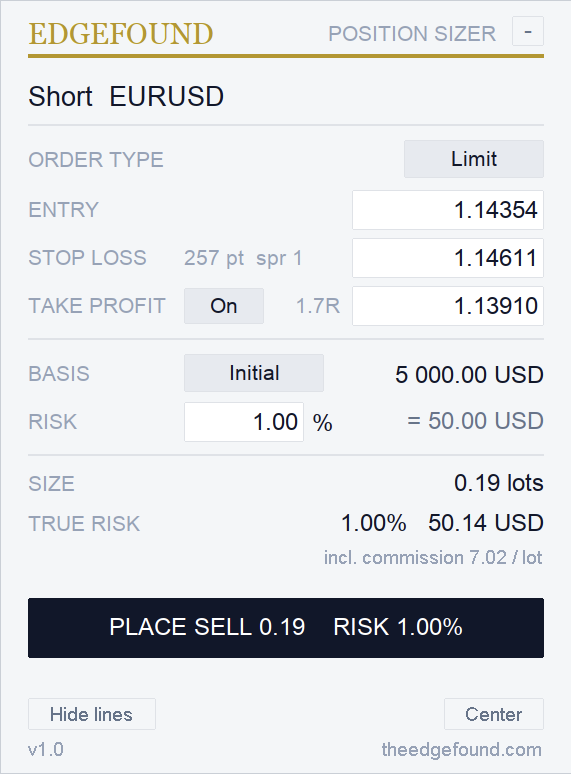
The EdgeFound Position Sizer panel : order type, entry, stop loss, take profit with R multiple, basis, risk 1.00 %, size, true risk with commission included, and the place button.
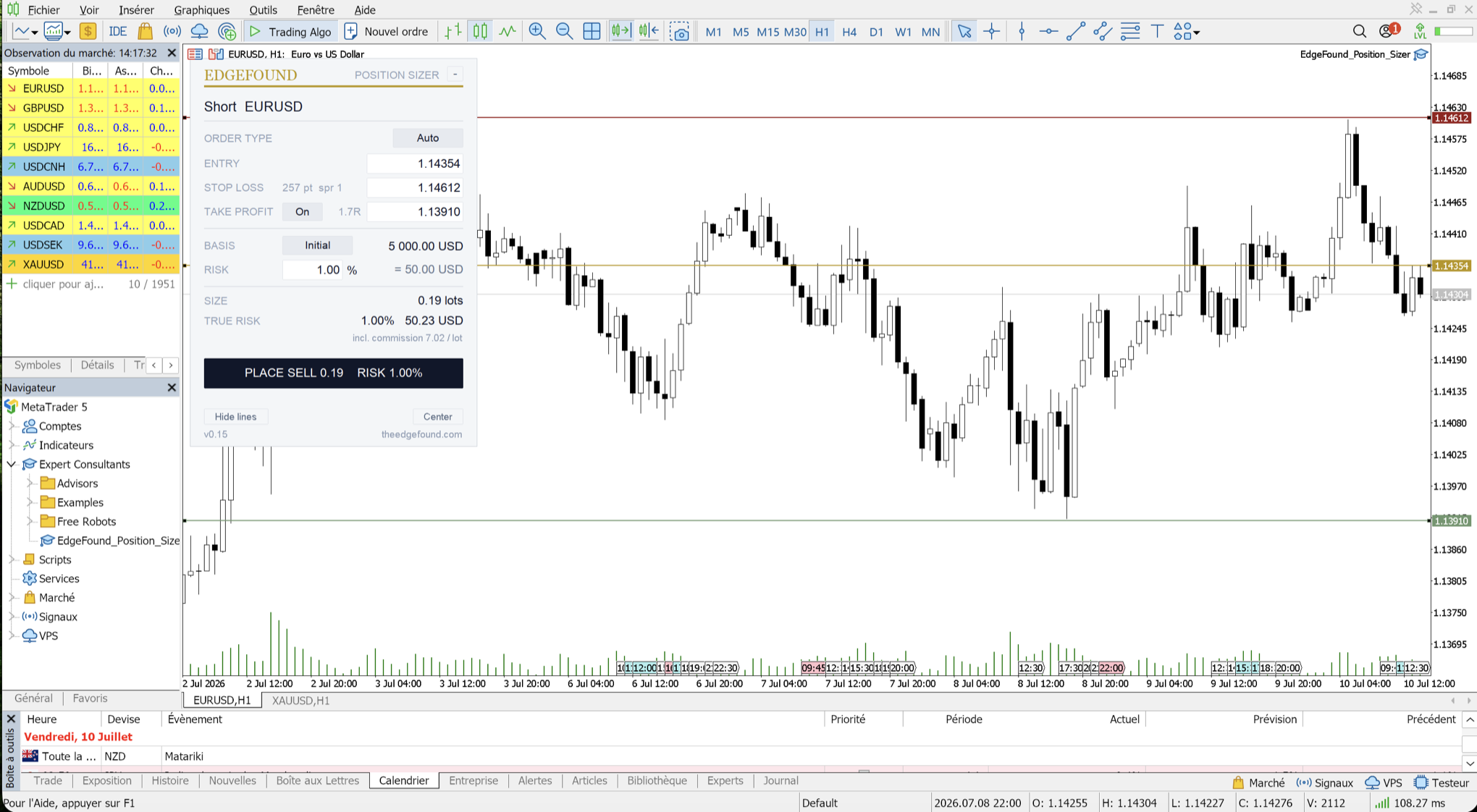
The Position Sizer on a EURUSD chart in MT5, with the entry, stop-loss and take-profit lines drawn on the chart.

Installed in two minutes

On Windows
  1. Download the file

    Download v1.0

  2. Drop it in the Experts folder

    In MT5 : File → Open Data Folder, then MQL5Experts, and drop the file there.

  3. Drag it onto a chart

    In the Navigator (Ctrl+N), right-click Expert AdvisorsRefresh, then drag it on. Not there ? Restart MT5.

  4. Allow algo trading, twice

    Tick Allow Algo Trading in the window that opens, and switch on the Algo Trading toolbar button. Without them the panel still calculates ; only the trade button won't fire.

On Mac
  1. Download the file

    Download v1.0

  2. Put it in the Experts folder

    In Finder : Go → Go to Folder (Cmd+Shift+G), look under ~/Library/Application Support for the folder containing MQL5/Experts, and drop the file there.

    Or paste this in Terminal , it puts the file from Downloads in the right place :

    find "$HOME/Library/Application Support" -type d -path "*MQL5/Experts" -exec cp "$HOME/Downloads/EdgeFound_Position_Sizer_v1.0.ex5" {} \;
  3. Drag it onto a chart

    In the Navigator (Cmd+N if hidden), right-click Expert AdvisorsRefresh, then drag it on. Not there ? Restart MT5.

  4. Allow algo trading, twice

    Tick Allow Algo Trading in the window that opens, and switch on the Algo Trading toolbar button. Without them the panel still calculates ; only the trade button won't fire.

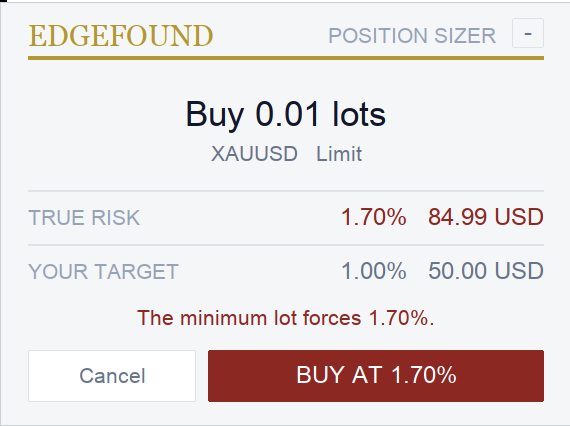
The red confirmation card : Buy 0.01 lots, XAUUSD limit, true risk 1.70% against a 1.00% target , the minimum lot forces 1.70%.

If it can't give you your 1%, it tells you. In red.

Every trade gets one confirmation window : direction, size, true risk , only what you need to click fast. And when the minimum lot forces your risk past what you typed, it turns red and shows the real number. It warns you. It never blocks your trade.

Built after a gold trade where my typed 1% became 3% through the minimum lot. Never again.Clément · founder of EdgeFound

By the way

We also make a very simple trading journal. It helps you understand your own data and know what to improve to develop a real edge.

See the journal →